Halloween is days away. The coffee shop down the street already posted its pumpkin latte Reel, the bar across town is selling out its costume party, and your feed? Not a single ghost. Don’t panic. You don’t need a costume budget, a video crew, or a week of brainstorming to catch up.
The easiest Halloween marketing ideas for small businesses are seasonal sales, event promos, costume contests, menu reveals, limited-time offers, and spooky social posts. All of them can be created quickly from a video template.
A good template has already done the scary part. The structure, pacing, visual style, and format are ready to go. You just bring the treats:
- Your copy and offer
- Your footage or product photos
- The date and time
- Your CTA
- Your logo and branding
Pick a format, drop in your details, and hit publish. No tricks. Here are six Async Halloween video templates and the promotion ideas each one fits best.
Each template below is ready to be customized in Async. Pick the one that matches your offer, then swap in your own details.
1. Treat Yourself
An illustrated skeleton waiter carries a tray of cocktails across a vintage Halloween poster, with hand-drawn type and short menu notes.
Best for: Bars, restaurants, cafés, cocktail and beverage brands
Use it for:
- A Halloween drinks or dessert menu reveal
- An October 31-themed evening with door times
- A seasonal cocktail recipe post
What to customize: Drink names, prices or ingredients, date, opening time, reservation details, logo, CTA
Template: Treat Yourself Halloween promo video template
2. One Night Only
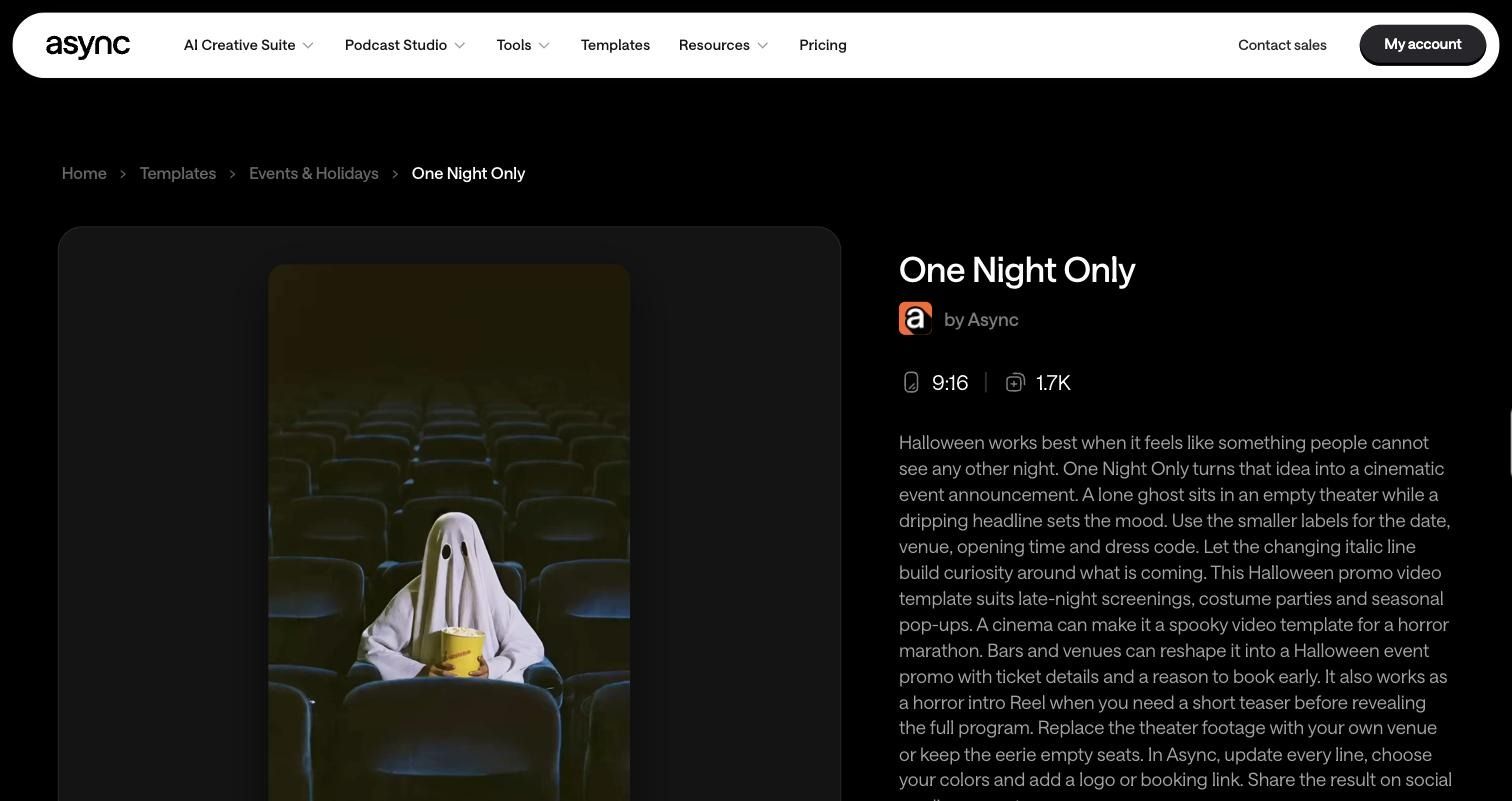
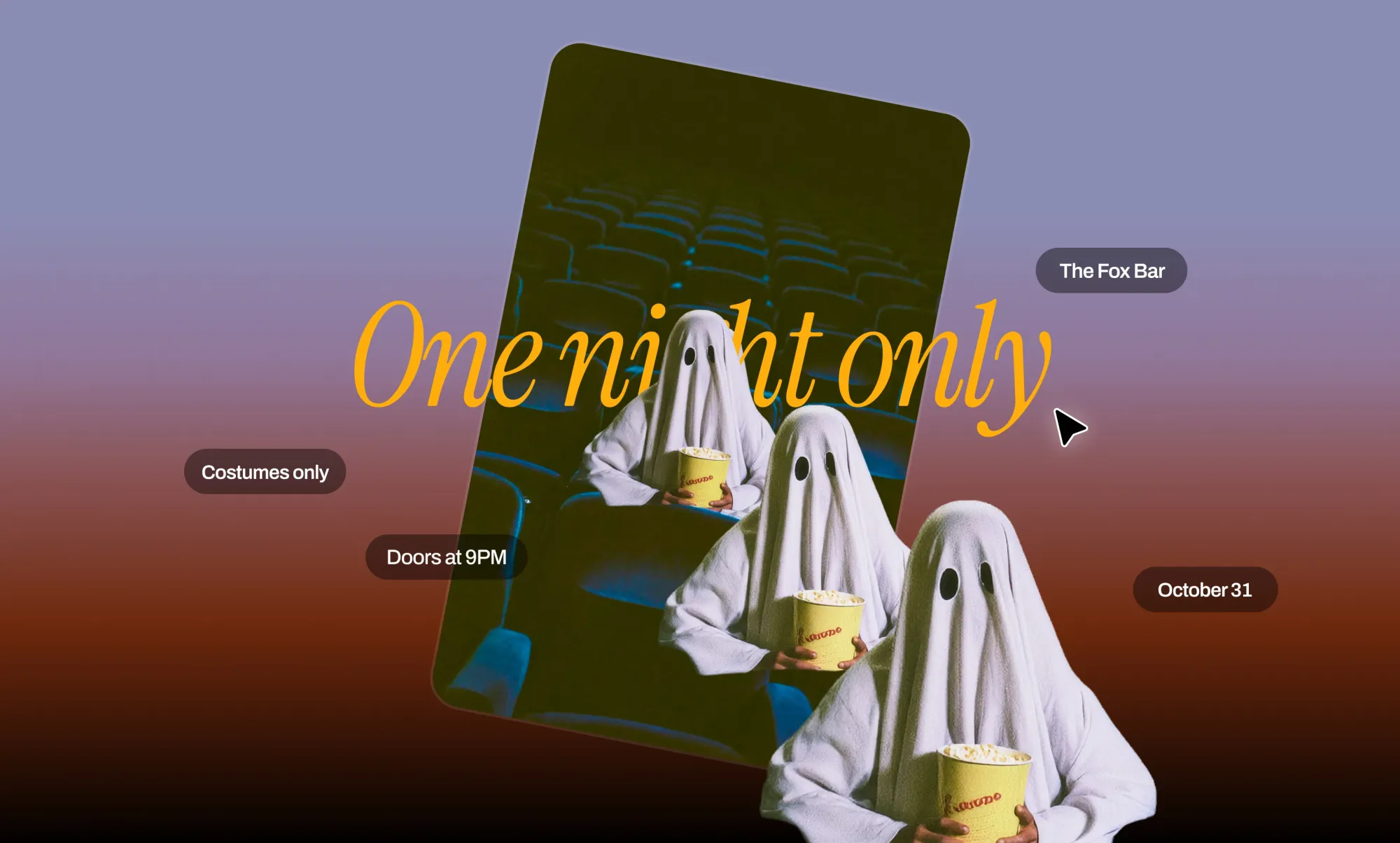
A ghost sits alone in an empty cinema while a dripping headline and a changing italic line build suspense.
Best for: Venues, cinemas, bars, seasonal pop-ups
Use it for:
- A late-night horror screening or movie marathon
- A one-night costume party
- A teaser before revealing your full event lineup
What to customize: Footage (swap in your venue or keep the empty seats), date, venue, opening time, dress code, ticket link, colors, logo
Template: One Night Only Halloween promo video
3. Costumes Welcome
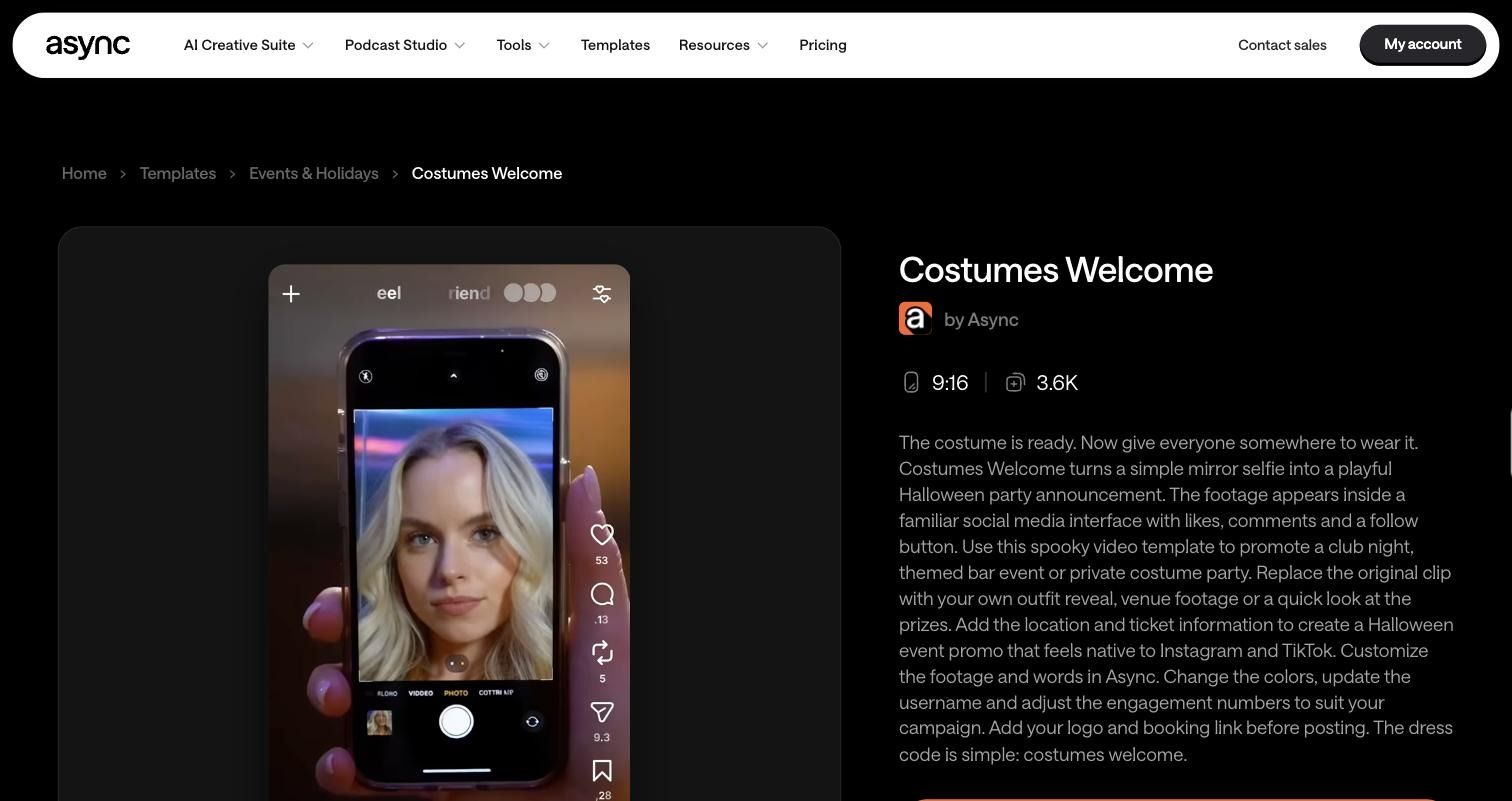
A mirror selfie plays inside a familiar social app interface, complete with likes, comments, and a follow button. It feels native to the feed.
Best for: Bars, clubs, salons, boutiques, party hosts
Use it for:
- A costume contest announcement
- A Halloween party or club night
- A costume or Halloween makeup reveal
What to customize: Your outfit or venue clip, username, engagement numbers, colors, location, prizes, ticket or booking link, logo
Template: Costumes Welcome spooky video template
4. Trick or Treat
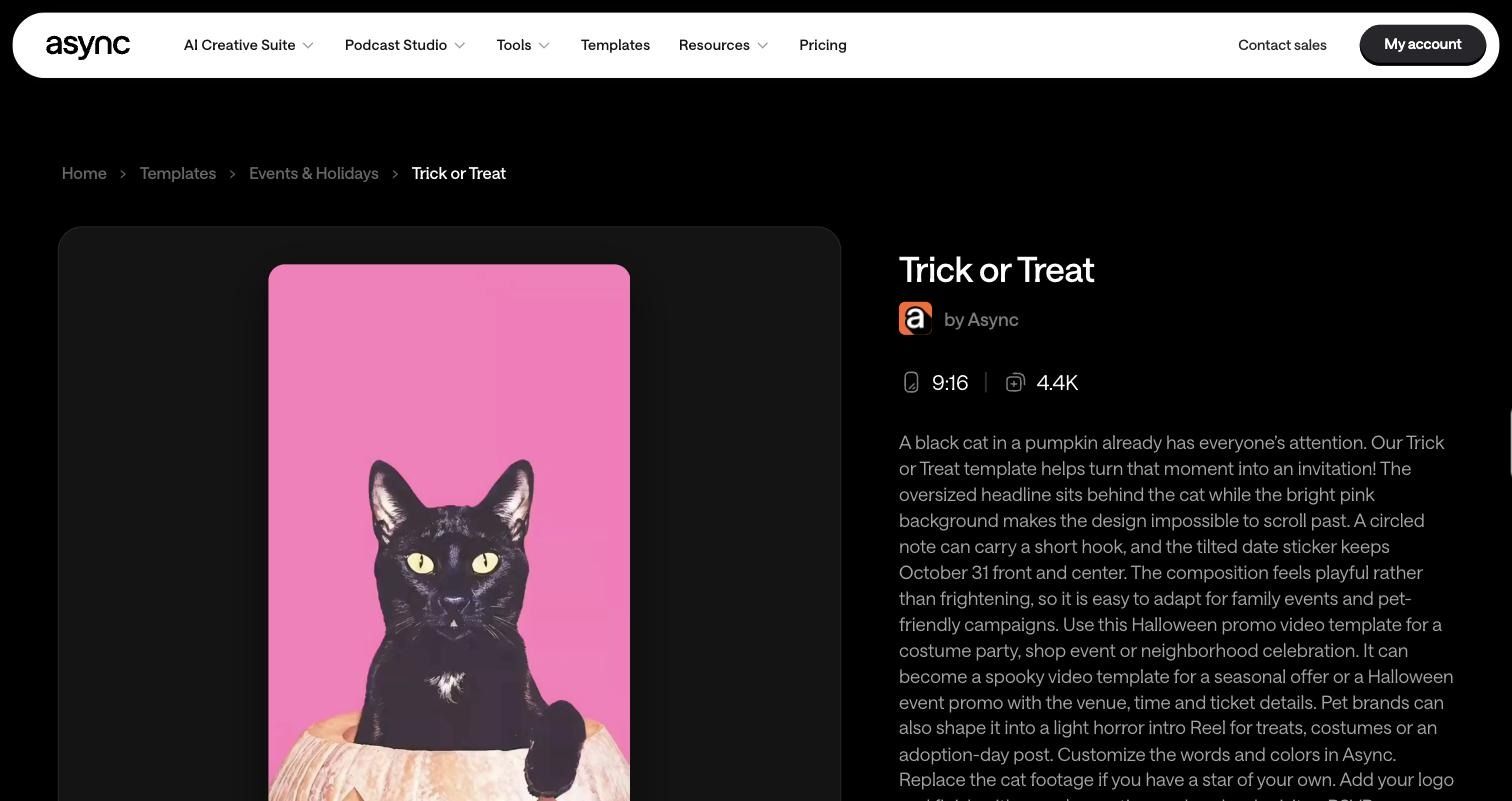
A black cat in a pumpkin sits in front of an oversized headline on a bright pink background, with a circled hook and an October 31 date sticker. Playful, not scary.
Best for: Retailers, ecommerce brands, pet brands, family-friendly local businesses
Use it for:
- A Halloween sale or limited-time discount
- A kids’ or neighborhood trick-or-treat event
- A pet costume giveaway or adoption-day post
What to customize: Headline, hook, date sticker, colors, cat footage (or your own product or pet), logo, CTA
Template: Trick or Treat Halloween promo video template
5. Haunted All Week
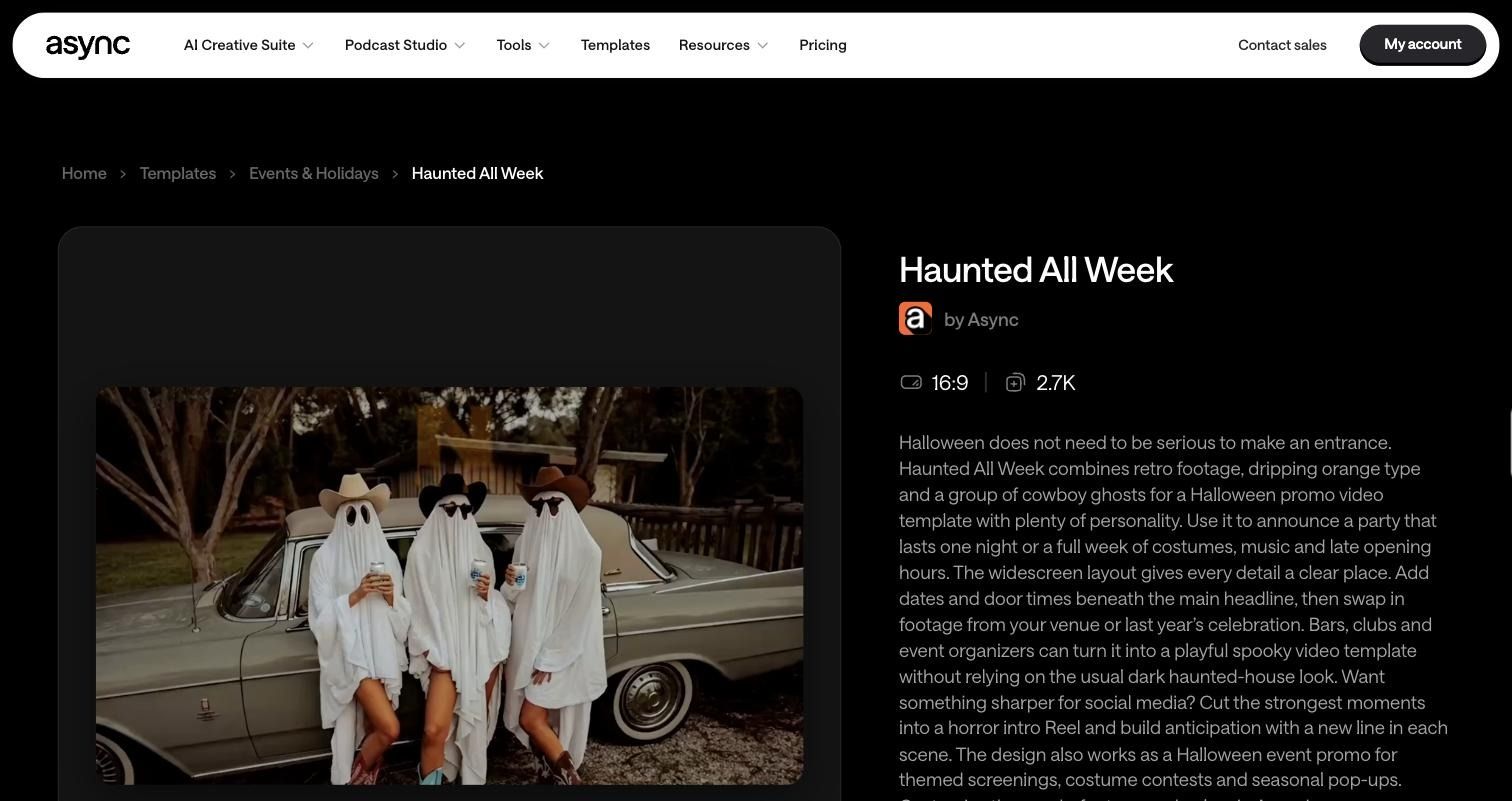
Retro footage of cowboy ghosts meets dripping orange type. It skips the usual dark haunted-house look for something fun.
Best for: Bars, clubs, event organizers, local shops running multi-day promos
Use it for:
- A full week of Halloween specials or late hours
- A costume contest or themed screening series
- A countdown that adds a new line in each scene
What to customize: Dates, door times, footage from your venue or last year’s event, headline, logo. It is 16:9, so cut short clips for vertical Reels.
Template: Haunted All Week Halloween promo
6. Lights Out
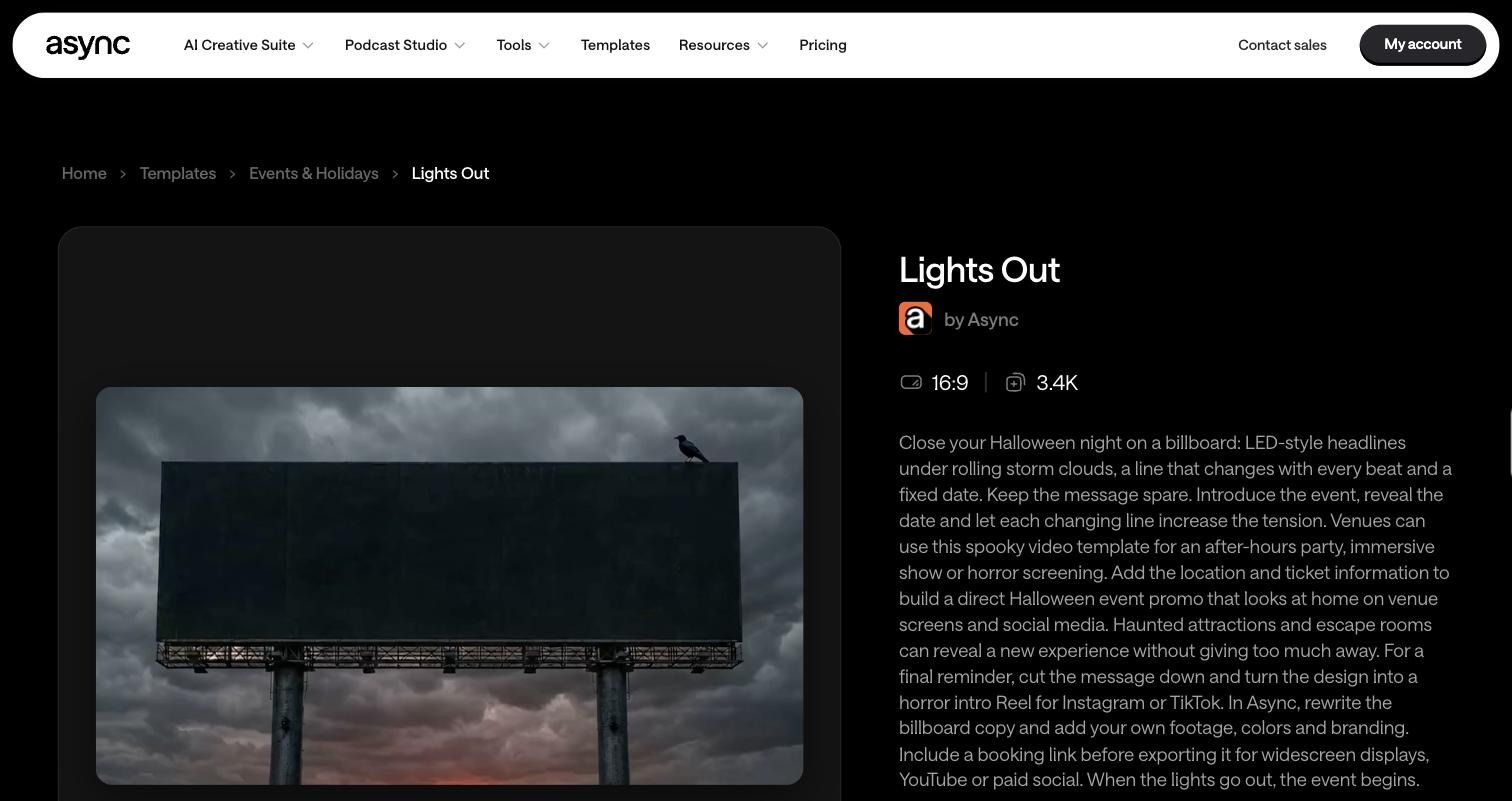
LED-style billboard headlines glow under rolling storm clouds, with a line that changes on every beat and a fixed date.
Best for: Venues, haunted attractions, escape rooms, immersive events
Use it for:
- An after-hours party or horror screening announcement
- A mystery reveal for a new experience
- A final “last chance” reminder before October 31
What to customize: Billboard copy, date, location, ticket info, footage, colors, branding, booking link. It works on venue screens, YouTube, and paid social.
Template: Lights Out Halloween promo video template
Pick the right Halloween template for your business
Match the template to the one thing you most want people to do: book, buy, or show up. If you’re planning a bigger push across platforms, pair these posts with a full Halloween marketing campaign.
Restaurants / cafés: Start with Treat Yourself for a seasonal menu or drinks reveal. Use Trick or Treat for a family-friendly offer or kids’ event.
Bars / venues: One Night Only and Lights Out are your strongest event templates. Use Costumes Welcome for a costume party and Haunted All Week if your celebration runs for several nights.
Retail / ecommerce: Trick or Treat is the clearest fit for a Halloween sale template. Lights Out works as a teaser before a limited drop or a last-chance reminder.
Salons / beauty: Costumes Welcome suits Halloween makeup looks, costume hair, and before-and-after reveals because it already looks like a social post. Trick or Treat handles a simple seasonal discount.
Local businesses: Trick or Treat and Haunted All Week keep things simple and friendly. They work for open houses, community events, and week-long promotions.
How to customize a Halloween template in Async
You can turn any of these templates into a finished Halloween promo video in a few minutes with Async’s social media video editor.
1. Choose a Halloween template. Open the template page and click Get started. The template loads straight into the Async video editor.
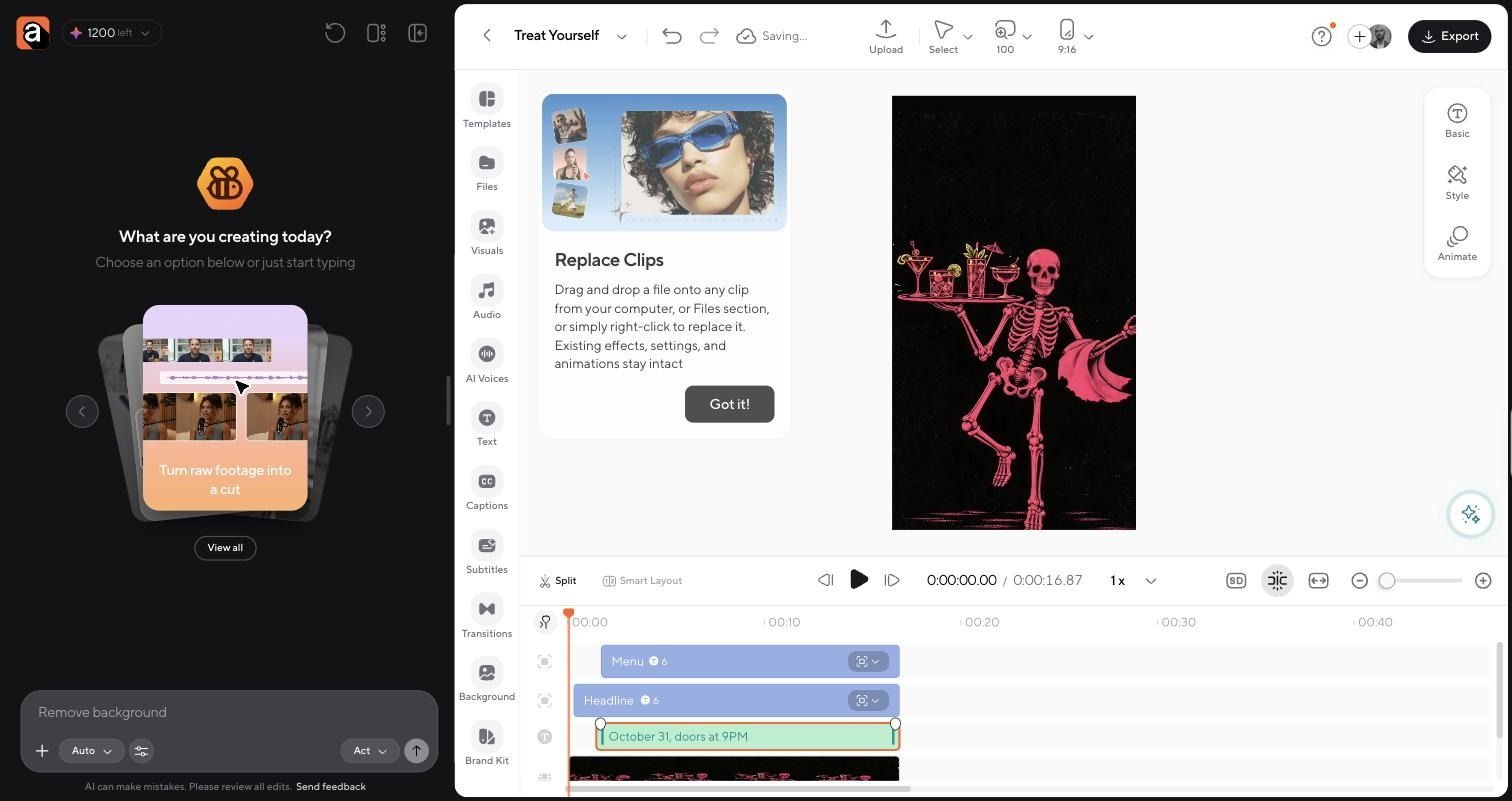
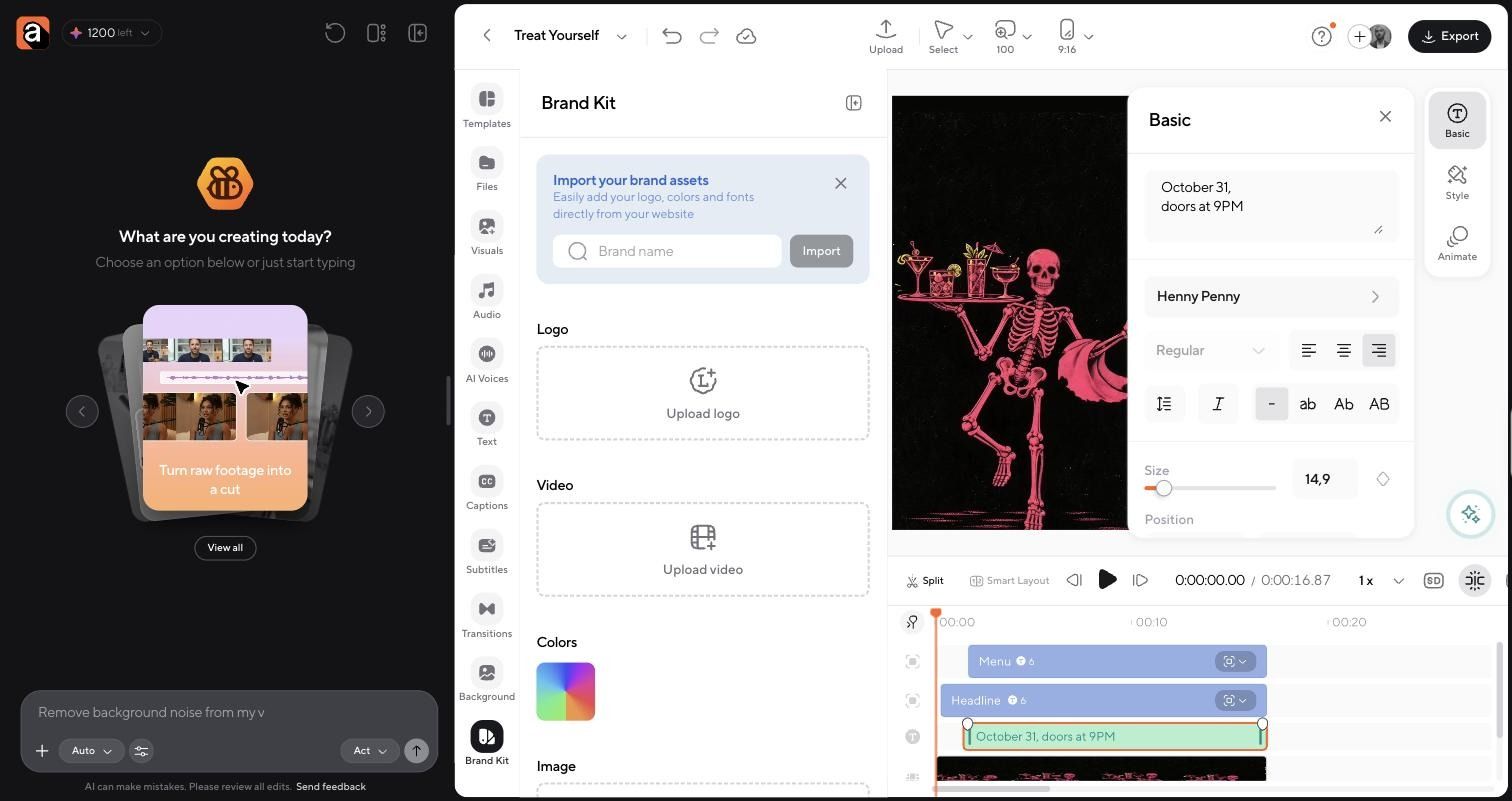
2. Replace the text with your offer or event. Click any text layer on the timeline, such as the date line. The Basic panel opens on the right, where you can rewrite the copy and change the font, size, and alignment. Style and Animate sit just below.
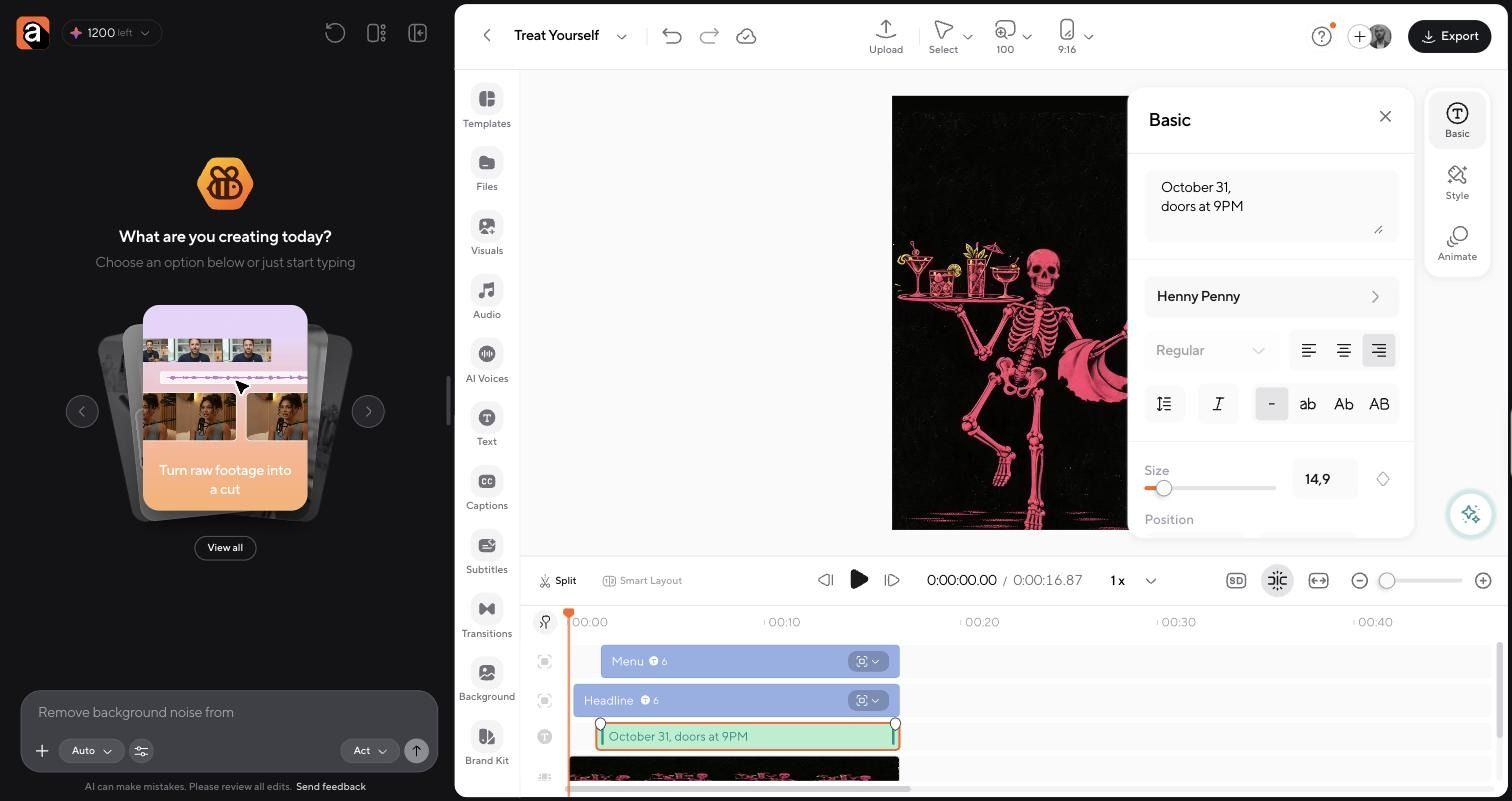
3. Swap in your photos or clips. Drag and drop a file onto any clip from your computer or the Files section, or right-click a clip to replace it. Existing effects, settings, and animations stay intact.
4. Add your logo and branding. Open Brand Kit in the left toolbar to upload your logo and set your colors. You can also import your logo, colors, and fonts directly from your website.
5. Update music or visuals if needed. Use the Audio, Visuals, and Background panels in the same toolbar to adjust the mood.
6. Export for your platform. Click Export in the top right. The vertical templates are already set to 9:16, ready for Reels, TikTok, Shorts, or Stories.
New to vertical video? Here’s how to edit Instagram Reels step by step.
- Start before October 31. Post your first teaser one to two weeks out, then build momentum with reminders as the date gets closer.
- Lead with the offer. State the deal, event, or menu in the first second. People scroll fast.
- Show the real business. Your actual food, products, team, and venue beat generic stock footage every time.
- Keep the video short. Aim for 15 seconds or less on Reels and TikTok. Want more reach? Learn how to make Instagram Reels go viral.
- Include urgency. Add a date, a deadline, a booking cutoff, or limited availability so people act now.
What not to do
- Post a generic “Happy Halloween” with no offer or purpose
- Use spooky fonts that are hard to read on a phone
- Hide the actual offer at the end of the video
- Make the intro too long before the point lands
- Save everything for October 31, when feeds are most crowded
- Jump on unrelated trends just because they’re Halloween-themed
FAQ
What should a small business post for Halloween?
Post content with a clear purpose: a seasonal offer, a Halloween event, a costume contest, a themed product, or a behind-the-scenes look at your decorations. Every post should tell people what is happening and what to do next.
What are good Halloween marketing ideas?
Good Halloween marketing ideas include limited-time sales, themed menus or products, costume contests, Halloween parties, giveaways, and countdown posts. Short video promos work especially well because they show the offer quickly in the feed.
What should restaurants post for Halloween?
Restaurants should post seasonal menu reveals, themed drinks or desserts, Halloween night reservations, and costume discounts. A template like Treat Yourself makes a menu reveal quick to produce.
How do you make a Halloween social media video?
Start with a Halloween video template, replace the text with your offer, add your own photos or clips, apply your branding, and export in the right format for Reels, TikTok, or Stories.
Where can I find Halloween video templates?
You can find ready-to-use Halloween video templates on Async, including all six featured in this article. Each one opens directly in the editor for customization.
What are good Halloween Reel ideas for businesses?
Try a menu or product reveal, a costume contest announcement, a countdown to your event, a staff costume showcase, or a quick “last chance” sale reminder. Keep each Reel short and lead with the offer.
When should businesses start posting Halloween content?
Start posting Halloween content at least one to two weeks before October 31. Early posts build awareness, and reminders in the final days drive bookings and sales.
Can I customize Halloween video templates for my brand?
Yes. You can change the text, footage, colors, logo, and CTA in each Async template so the final Halloween promo video matches your brand.
PakarPBN
A Private Blog Network (PBN) is a collection of websites that are controlled by a single individual or organization and used primarily to build backlinks to a “money site” in order to influence its ranking in search engines such as Google. The core idea behind a PBN is based on the importance of backlinks in Google’s ranking algorithm. Since Google views backlinks as signals of authority and trust, some website owners attempt to artificially create these signals through a controlled network of sites.
In a typical PBN setup, the owner acquires expired or aged domains that already have existing authority, backlinks, and history. These domains are rebuilt with new content and hosted separately, often using different IP addresses, hosting providers, themes, and ownership details to make them appear unrelated. Within the content published on these sites, links are strategically placed that point to the main website the owner wants to rank higher. By doing this, the owner attempts to pass link equity (also known as “link juice”) from the PBN sites to the target website.
The purpose of a PBN is to give the impression that the target website is naturally earning links from multiple independent sources. If done effectively, this can temporarily improve keyword rankings, increase organic visibility, and drive more traffic from search results.
